
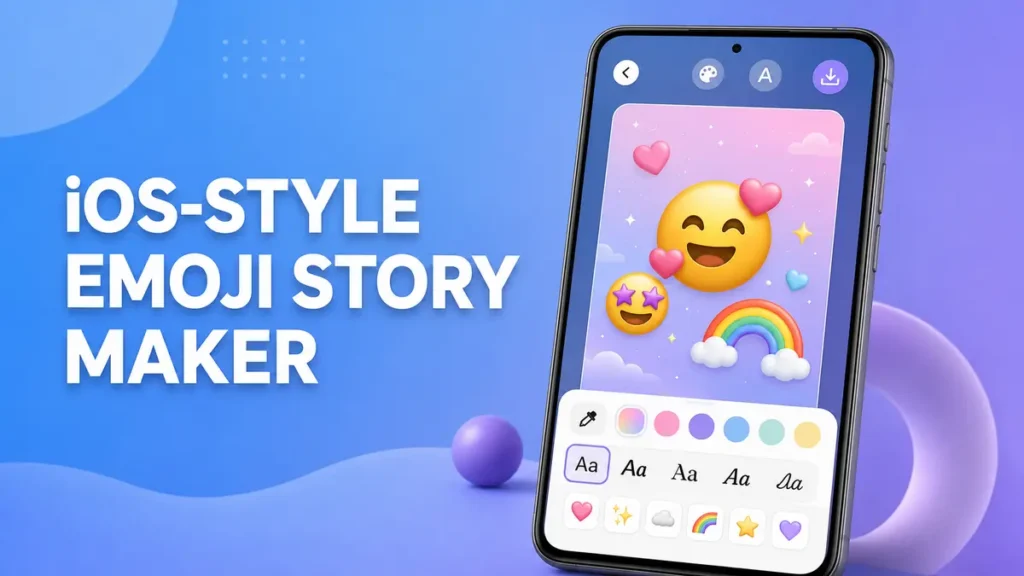
Quick answer: iOS Emojis For Story by Vk.soft.Dicapp is a free app for creating beautiful story and post images using iOS-style emoji artwork, stylish text, fonts and creative effects.
iOS Emojis for Android is searched by users who want iPhone-style emoji designs on Android. This guide explains what the app does, its main features, how to install it safely from Google Play, and how you can use it to create attractive social-media content.
App information
| Google Play name | iOS Emojis For Story |
|---|---|
| Developer | Vk.soft.Dicapp |
| Purpose | Create story and post images using iOS-style emojis, text, fonts and creative effects |
| System-wide emoji change | No — the app creates images and does not replace your Android system emojis |
| Cost | 100% Free — use the app without paying for the core experience |
| Installation source | Google Play Store |
What does this app do?
iOS Emojis For Story lets you create attractive social-media story and post images using iOS-style emoji artwork, stylish text, fonts and background effects.
Instead of simply sending normal emoji text, you can create a complete visual design and save it as an image. This makes your content look consistent when you share it on different apps and devices.
The app is useful for creating content for platforms such as Instagram, WhatsApp, Facebook and other social-media apps.
✨ Key features
🎯 Need emojis right now? (No download needed)
Don’t want to install an app? Use our free tool to copy-paste 1800+ iOS-style emojis, rare symbols and trending emoji combinations instantly.
Open Free Emoji Hub ✨100% free tool • Works on WhatsApp, Instagram and Facebook
How to install safely
- Open the official Google Play listing for iOS Emojis For Story.
- Check the app name and developer before installing.
- Tap Install and wait for the app to finish installing.
- After installation, open the app and explore its emoji, text and design features.
- Review permission requests carefully and only allow permissions that are relevant to the app’s functionality.
Safe installation: For the safest experience, download the app through Google Play instead of installing APK files from unknown websites. Avoid unofficial modified APKs and third-party downloads.
How to use iOS Emojis For Story
- Open the app after installation.
- Select the emoji, text or creative element you want to use.
- Customize the design using available fonts, backgrounds and effects.
- Arrange the elements according to your preferred style.
- Save your finished design as an image.
- Share the image directly on your favorite social-media platform.
Creative tip: Combine a few well-placed emojis with stylish text and a clean background instead of overcrowding your design. Simple layouts often look more professional and attractive.
Common questions
Is this an APK download page?
No. This website does not host an APK file. The button below opens the Google Play listing.
Is the app free?
Yes. The app is available to use for free, making it easy to create emoji-based stories and social-media images without paying for the core app experience.
Will this replace all emojis on my phone?
No. The app creates story and post images using iOS-style emoji artwork. It does not change Android’s system emoji set.
Can I use the designs on WhatsApp and Instagram?
Yes. You can save your finished design as an image and share it on WhatsApp, Instagram, Facebook and other social-media platforms.
Does it work like an emoji keyboard?
No. It is primarily a creative image and story design tool rather than a system-wide Android emoji keyboard replacement.
Where should I download the app?
For the safest installation, use the official Google Play listing rather than downloading APK files from unknown third-party websites.
Final recommendation
If you want to create attractive social-media stories and images with iOS-style emojis, stylish fonts and creative effects, iOS Emojis For Story is a simple option to try.
The app is free to use and can be installed through Google Play. For the best experience, always download the official version and avoid modified or unofficial APK files.
Open on Google PlayApp availability and features may change over time.
This page is an independent guide and is not affiliated with or endorsed by the app developer. Apple, iOS and related trademarks belong to their respective owners. Android and Google Play are trademarks of Google LLC.